Teleprompter for Mac and Windows

Any screen is the prompter. Your phone is the remote.

Just Prompter runs a mirror rig from a Mac or PC, puts the same script on an iPad or any tablet over Wi-Fi with no cable or extra app, and hands every control to your phone, a clicker, or the keyboard. One purchase, no subscription.

Download for Mac Download for Windows Your first 3 scripts are free. One purchase unlocks unlimited scripts: $39.99 at launch, no subscription, no account.
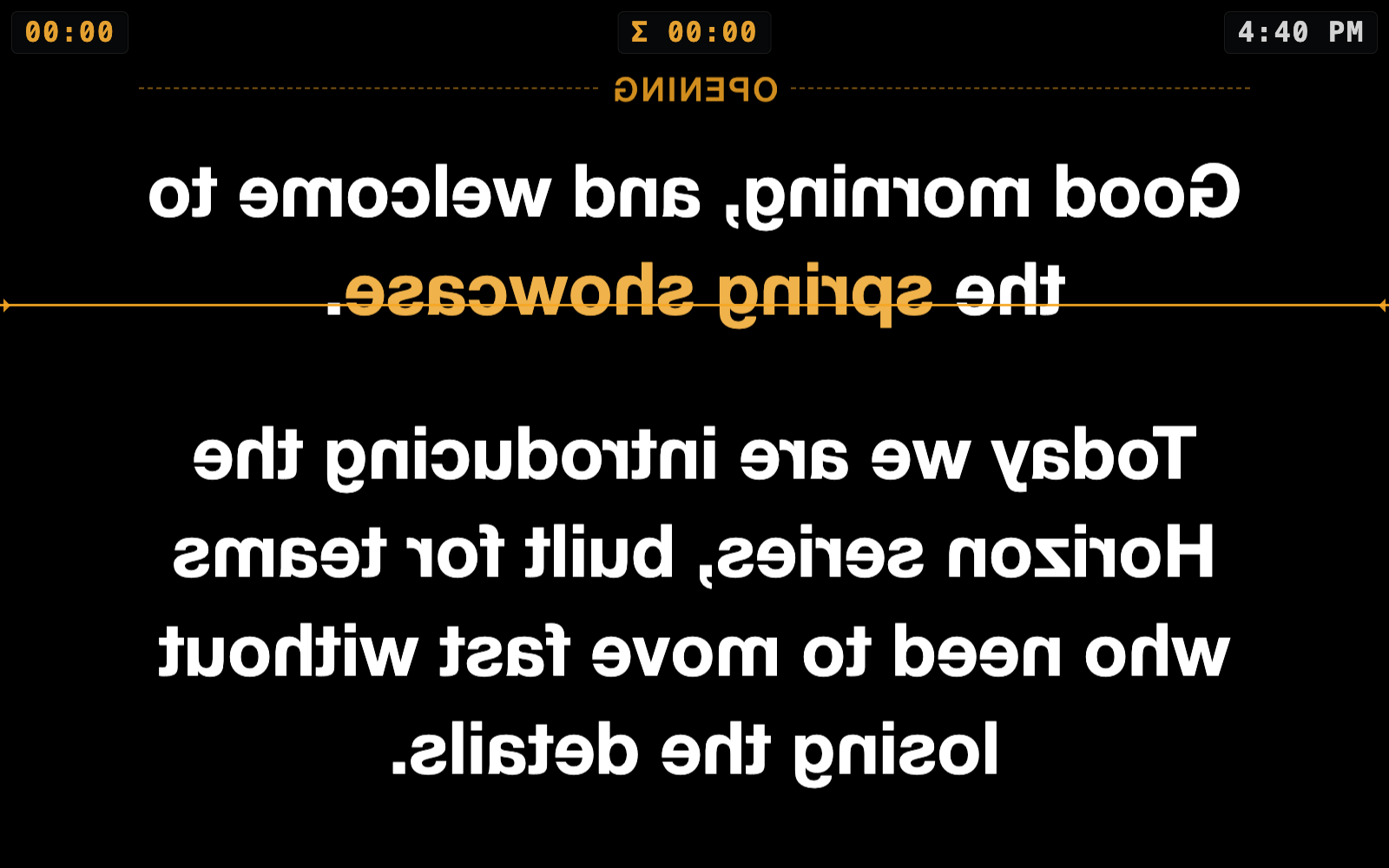
The prompter screen: large mirrored white text on black, an amber reading line, a timer in each top corner On air Prompter monitor · mirrored for the glass
Launch price$39.99 once
FreeFirst 3 scripts
PlatformsMac · Windows
RemoteAny phone
Second screenAny tablet
The console

A script on paper, an instrument panel underneath.

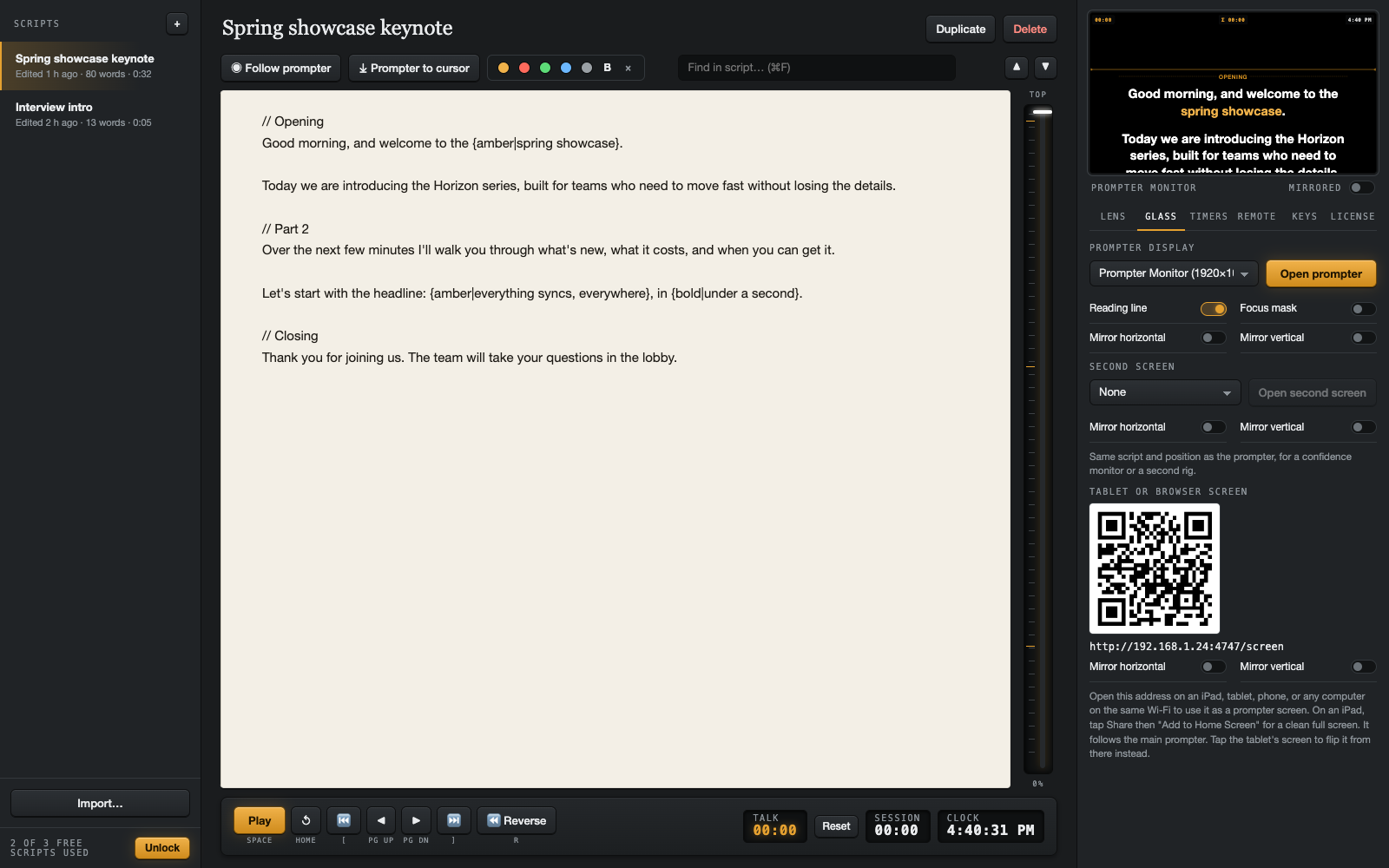
The control window puts the words where your eyes are: a light page in the middle, the transport keys below it, and the glass preview beside it so you can see the rig without walking round the camera.

  • 01
    Follow the prompter. The paragraph being read is highlighted on the page as it goes, so you can fix a line without losing the place.
  • 02
    Prompter to cursor. Click anywhere in the script, press ⌘J, and the glass jumps there. Find any word with ⌘F.
  • 03
    Markers and colour. A line starting with // becomes a divider you can jump to. Select words and click a colour to make them amber, red, green, or blue on the glass.
  • 04
    Import anything. Text, Markdown, Word, and PDF, dropped on the window or opened from the Dock. Autosaves as you type.
The Just Prompter control window: script list, paper editor with position rail, transport keys and timers, and the glass preview with its settings
On the glass

Mirrored, masked, and timed. Built for the rig, not the webcam.

Pick the display behind your beam-splitter and the text fills it, flipped to match your glass. A second monitor can carry the same script unmirrored for a confidence screen.

  • H V
    Mirror either way. Horizontal, vertical, or both, set separately for each screen.
  • —
    Reading line and focus mask. An amber line marks the row to read; the mask dims everything else.
  • 3 2 1
    Countdown and timers. A countdown before the words move on a fresh take, a talk timer that runs only while you speak, a session timer, and the clock.
  • R
    Reverse and page jumps. Scroll backwards smoothly, or step by exactly one unread page.
The Glass tab of the control window: display picker, reading line, focus mask, mirror switches, a second screen, and the tablet screen QR code
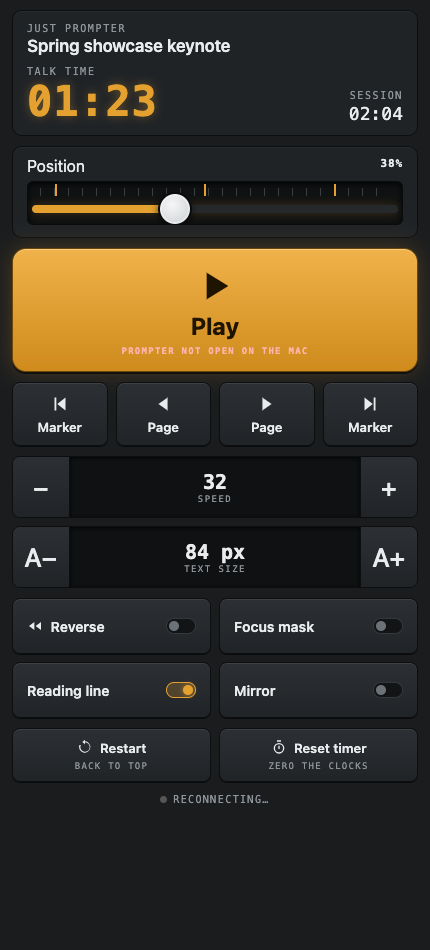
The phone remote: talk and session timers, a position slider, a large Play key, marker and page keys, speed and text-size steppers, and toggles
Remote and second screen

Your phone is the remote. Your iPad is another prompter.

Scan a code and any phone on your Wi-Fi becomes the remote: play, pause, speed, size, markers, reverse, and a position slider you can drag. Nothing to install.

Open a second address on an iPad, Android tablet, or spare laptop and it becomes a prompter screen that follows the main one, with its own mirror setting. No cable, no Sidecar, no extra app.

Clickers and pedals

Press a button, see what it sent

The key monitor shows what your USB clicker or foot pedal sends. One click makes it play and pause. Every shortcut is rebindable, including double-presses.

Hold to repeat

Big changes in one press

Hold Faster or A+ on the phone and it keeps stepping. Each key flashes and buzzes so you know it registered without looking.

Everything in the box

What you get

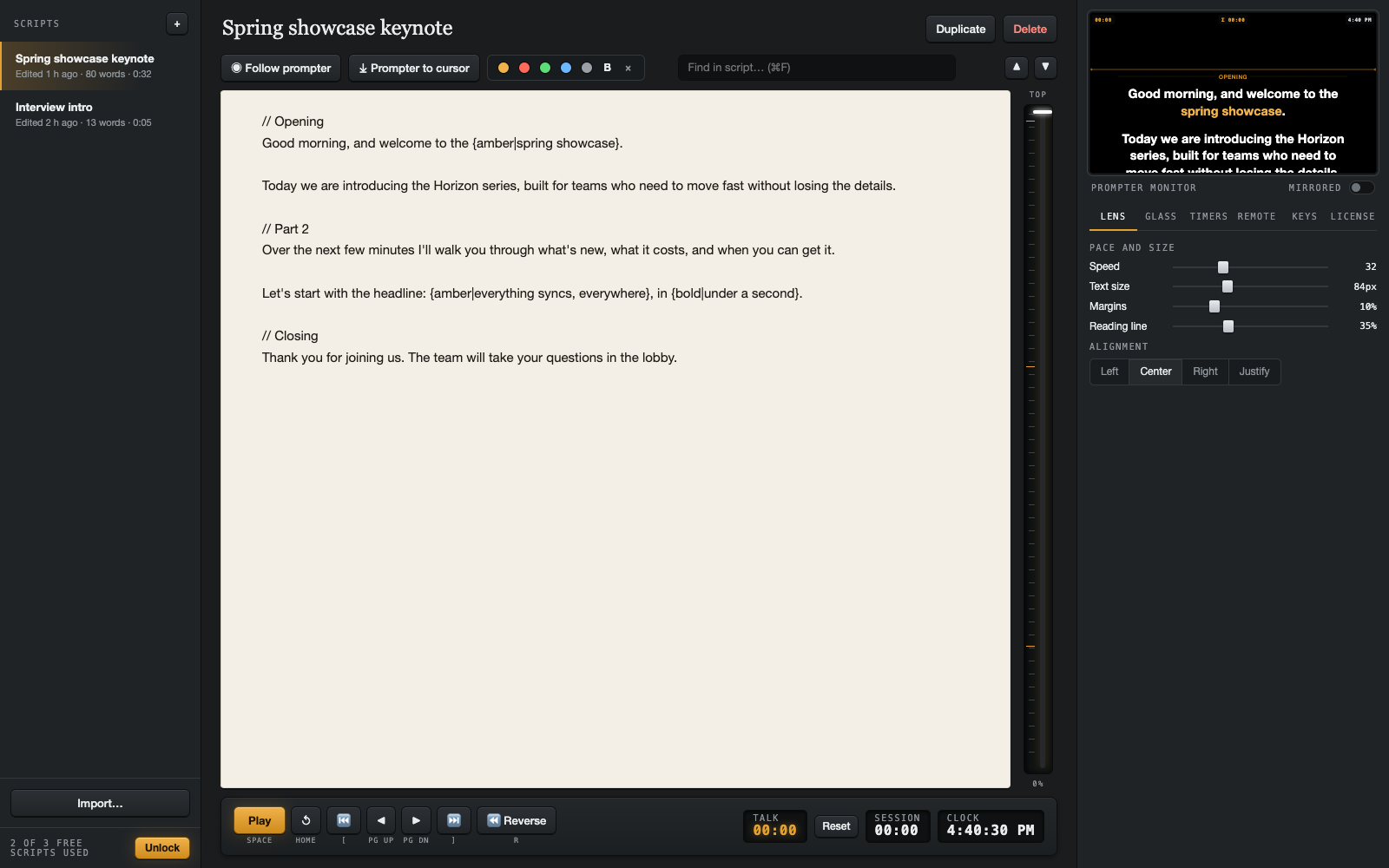
Speed, size, margins, alignment

Left, centred, right, or justified. Change the text size mid-read without losing your place.

Keyboard shortcuts

Space, arrows, Page keys, Home, R, F, L, [ and ]. All rebindable, with clicker presets.

Scripts that stay put

Saved on your computer, never uploaded. Word count and read time on every script.

Second screen

A confidence monitor or a second rig, from any display or any tablet.

Position rail

Drag to anywhere in the script. Ticks show your markers.

Mac and Windows

One license works on up to three of your own computers, either platform.

Pricing

Free to try properly. One payment, then it's yours.

Your first three scripts are free, with every feature, which is enough to run a real shoot. Unlocking removes the limit on your computer, forever. No subscription, no account, nothing collected.

Free
$0
  • Your first 3 scripts
  • Every feature: mirroring, markers, timers, remote, tablet screen
  • Mac and Windows
Download
Unlimited
$39.99one time · launch price
  • Unlimited scripts
  • Works on up to 3 of your computers
  • Free updates, no subscription
  • 14-day refund, no questions
Unlock in the app

On the Mac App Store the unlock is an in-app purchase. On Windows and direct downloads it's a license key sent by email.